
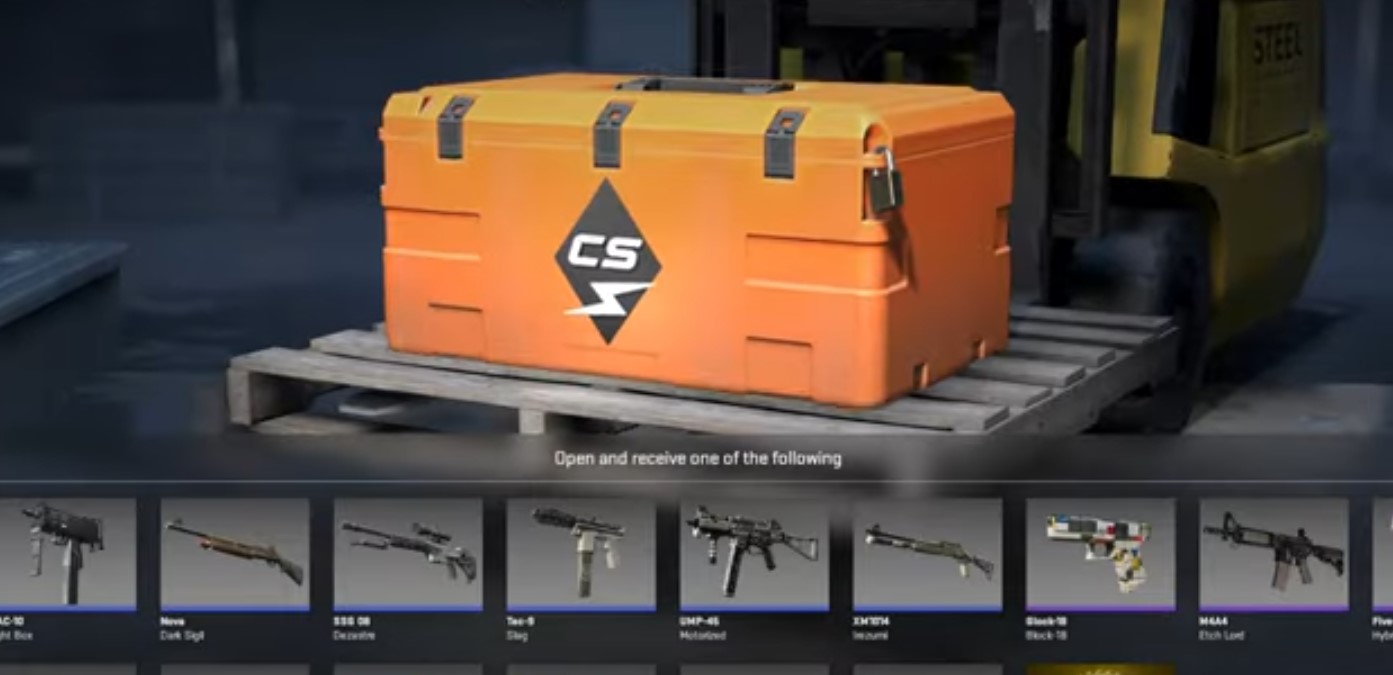
Skin rental is a new feature added to CS 2 with the May 24 update. Now, every player can temporarily add stylish skins to their inventory and use them in all game modes. In this guide, we will explain in detail how to rent skins in CS 2.
How to Rent Skins in CS 2
The process of renting skins is quite simple, but there is one important condition. Currently, the feature is available only for skins from the “Kilowatt” collection, which was added to CS 2 in February 2024. Valve may expand the range of available items for rent in the future, but the rental process will remain unchanged.
To rent a skin, you need to purchase a key for the “Kilowatt” case for 230 rubles. Then, find the corresponding case in your inventory and open it. In the pop-up window, select the “Open to Rent” option. After that, 17 skins from the “Kilowatt” collection, except for the Kukri knife, will appear in your inventory. These skins can be used in any game mode.
Duration of Skin Rental in CS 2
The rental period is 7 days. After this period, the skins will automatically be removed from your inventory. However, you can rent them again by repeating the steps mentioned above. Note that rented skins cannot have stickers or name tags applied to them, and they do not have a StatTrak kill counter.
Available Skins for Rent in CS 2
As of the writing of this material, 17 skins from the “Kilowatt” collection are available for rent.
- Dual Berettas | Retreat
- MAC-10 | Lightbox
- Nova | Dark Print
- SSG 08 | Disaster
- Tec-9 | Slag
- UMP-45 | Motor
- XM1014 | Irezumi
- Glock-18 | Block-18
- M4A4 | Master Baiter
- Five-SeveN | Hybrid
- MP7 | Smile
- Sawed-Off | Analog Input
- M4A1-S | Black Lotus
- Zeus x27 | Olympus
- USP-S | Grin
- AWP | Chrome Gun
- AK-47 | Heritage


More Stories
PUBG mythbusters: Are footsteps really quieter without shoes?
How to analyze CS2 matches: a complete guide for beginners and pro
Top 7 Graphics Cards for Gamers in 2025: Performance Without Breaking the Bank